 GitHub
Drawer

A panel which slides in from any edge of the screen and is layered on top of the content.
Examples
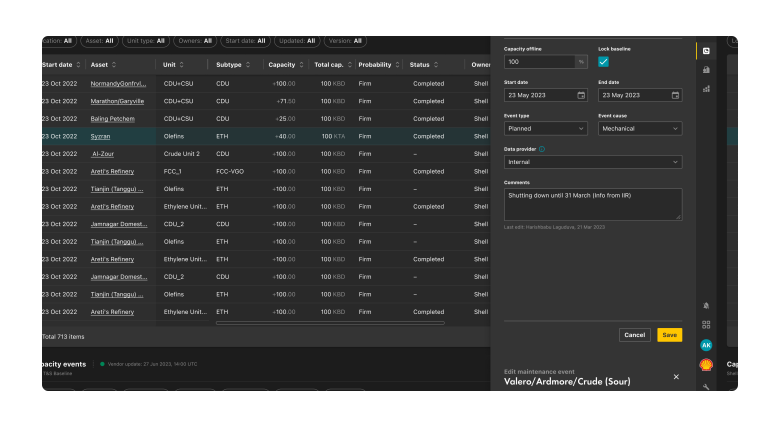
Usage
When to use
- To enable content visibility in limited screen space.
- To display contextual information related to the current page or task.
- To show settings or navigational items.
When not to use
- If content can be better presented inline or in a separate page.
- If the information is time-sensitive or urgent.
- Avoid using it for primary navigation on large screen sizes.
Best practice
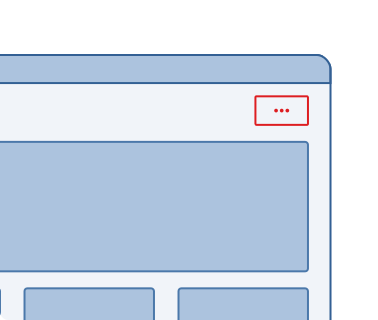
Easy to discover
Make the drawer easily discoverable with a clear icon or button to trigger visibility.
Smooth transitions
Provide a smooth animation while opening and closing the drawer.
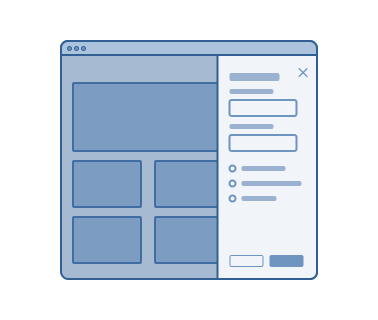
Organised content
Ensure the content within the drawer is organised, relevant and concise.
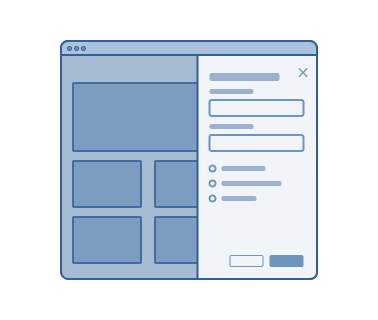
Clear labelling
Use clear and concise labels to describe the items within the drawer.
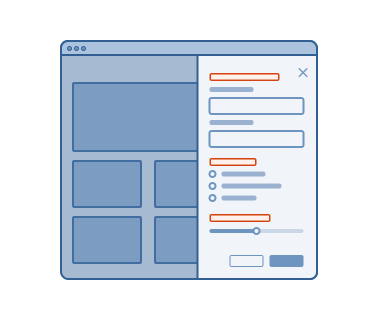
Drawer width
Maximum width of the drawer should not exceed the width of the screen. However, a drawer may fill small screens.
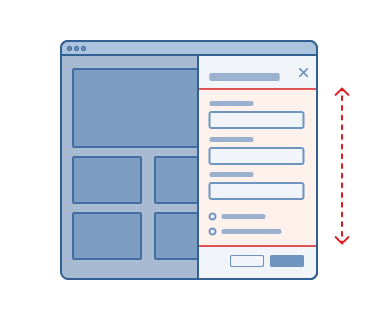
Content scrolling
When the content overflows the drawer height, it scrolls vertically under the header and above the footer.
Accessibility
Shell DS components are programmatically determinable with appropriate semantic markup and are designed to meet colour contrast requirements. If you’re not using Shell DS code, you will need to cover the accessibility considerations for each component in this pattern.
Keyboard navigation
Allow keyboard navigation for opening and closing the drawer and accessing the content within the drawer.
Code consideration
Use ARIA roles and attributes to provide additional context and improve accessibility.
Colour contrast
Ensure the colour contrast is 4:5:1, in accordance with WCAG guidelines.
Every effort has been made to ensure that the Shell Design System follows accessibility best practice.
The Shell DS React framework incorporates keyboard operation to support the widest variety of assistive technologies and devices. For any future frameworks other than React, accessibility will need to be reviewed.
Help us to help you by contacting the Accessibility team for support and information regarding any questions relating to accessibility.
Related
Is this page useful for you?
Your feedback helps to improve our documentation.