Welcome to SDS 2!
Explore the new features exclusively available in this version of the Shell Design System.
Guidelines
IllustrationSmart Library is a resource for creating customised illustrations for use in digital applications and printed media.


Constructing a scene
A variety of scenes have been created and are available to download and use directly from our Figma Illustration project. They can be edited by selecting different options for gender, ethnicity and clothing.
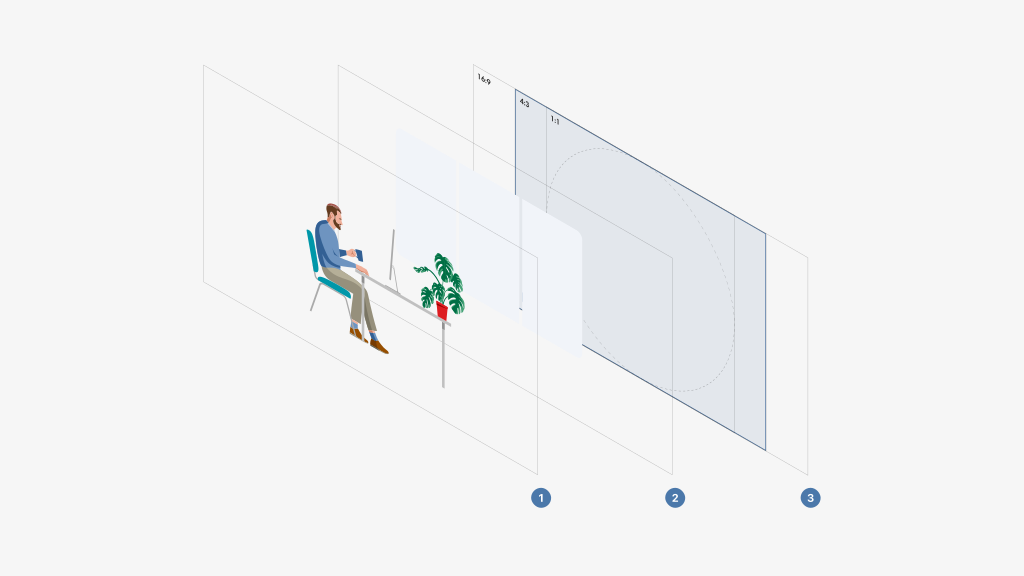
1. Foreground: Humans and scene objects.
2. Background: Shapes and scenic elements.
3. Guide: Use to ensure illustration focus is maintained.

Do:
Ensure that your scene image is balanced

Don't:
Overcomplicate the scene. Establish a clear narrative and use select elements to highlight the message.
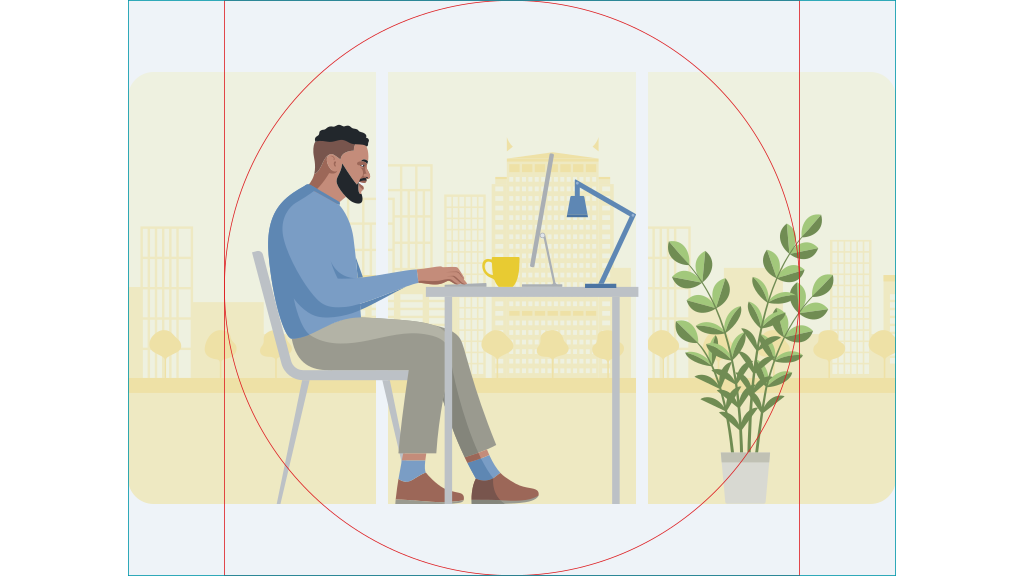
Do:
Ensure that the focal point of your illustration falls in the focus area.
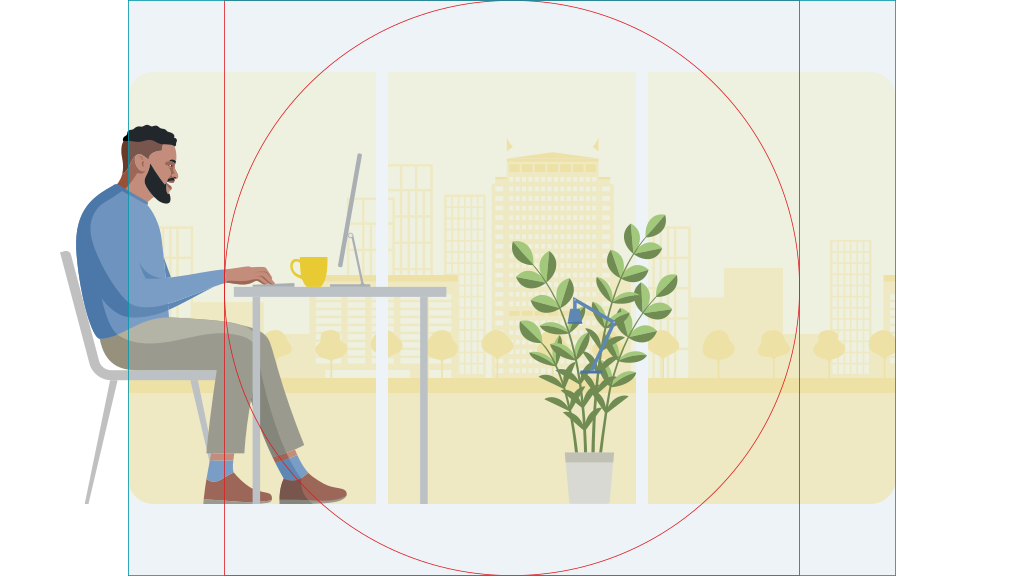
Don't:
Position the key items outside of the safe zone as it creates an illegible illustration when cropped to 4:3 or 1:1 ratios.

Do:
Ensure the scene is composed using colours from our SDS Foundations palette with sufficient contrast.

Don't:
Use foreground colours with low contrast from the background.